Smart Chef Mode: Ingredient-First AI Meal Planning
Smart Chef Mode: A Simple System for Turning Ingredients Into Great Meals
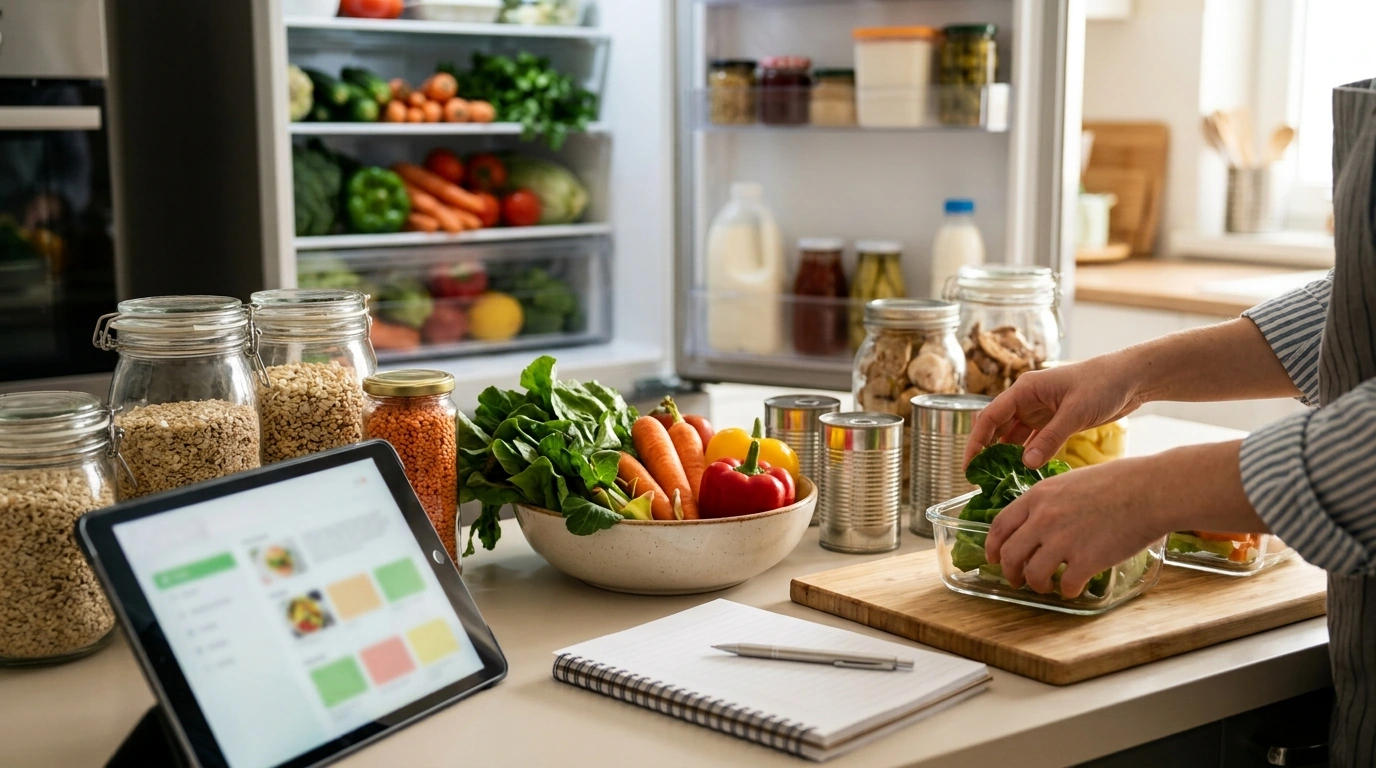
Smart Chef Mode is a digital checklist designed to help home cooks use AI as a practical cooking assistant—turning what’s already in the fridge and pantry into recipe ideas, weekly meal plans, and shopping lists without the usual decision fatigue. Instead of starting with “What should I cook?” you start with what you actually have, add a few real-life constraints (time, tools, diet), and let a clear, repeatable workflow do the heavy lifting.
What Smart Chef Mode Helps You Do
Smart Chef Mode is built around the way people really cook on busy days: using what’s on hand, adjusting for preferences, and keeping the week moving without overbuying. With a structured checklist, it helps you:
- Find recipe ideas based on ingredients already on hand (including “use-it-up” items nearing their date).
- Adapt recipes to dietary needs (gluten-free, dairy-free, high-protein, low-sodium) while keeping flavor and texture in mind.
- Plan meals for the week with realistic prep times and leftover strategies.
- Generate a streamlined shopping list that avoids duplicate items and reduces food waste.
- Troubleshoot cooking with quick AI checks (substitutions, doneness, seasoning balance, scaling portions).
When the process is consistent, the results get better fast: fewer “random meals,” more repeatable wins, and less last-minute takeout.
How to Set Up Your Ingredient-First Workflow
The quickest way to make AI useful in the kitchen is to feed it clean, specific inputs. Smart Chef Mode keeps it simple so you can do it in minutes.
- Do a fast inventory: list proteins, vegetables, grains, canned goods, sauces, and “almost-gone” items.
- Add constraints up front: time available, appliances, serving size, budget, and dietary preferences.
- Pick a “theme” for the week (sheet-pan, bowls, pasta night, stir-fry, slow cooker) to simplify decisions.
- Decide on a leftover plan: cook once, eat twice; or repurpose leftovers into a different format (tacos → bowls → soup).
- Save winning combinations as reusable templates (e.g., “protein + veg + sauce + starch” formulas).
That last step matters more than it sounds. Once you have two or three “formulas” your household likes, meal planning becomes selection—not invention.
A Practical Checklist for Asking AI the Right Way
AI output improves dramatically when you’re precise about what you have and what you want. Smart Chef Mode focuses on the smallest set of details that produce usable recipes (not vague inspiration).
- Start with what you have: include quantities and “must-use” ingredients.
- Specify your goal: quick dinner, meal prep, kid-friendly, high-protein, or low-cost.
- Ask for multiple options: request 3–5 distinct recipes to avoid getting stuck on one idea.
- Require clarity: ask for step-by-step instructions, timing, and doneness cues.
- Request substitutions: ask for 2–3 swaps for any ingredient you might not have.
- Ask for a shopping list only for missing items, grouped by store section.
- Ask for a cleanup plan: how to store leftovers, reheat, and keep texture.
Ingredient-to-Meal Request Template (Copy and Use)
| Input to Provide | Example | Why It Helps |
|---|---|---|
| Must-use ingredients | 2 chicken thighs, 1 bell pepper, spinach (needs using) | Prioritizes what should be cooked first |
| Pantry supports | rice, pasta, canned tomatoes, soy sauce | Keeps suggestions realistic without extra shopping |
| Time + tools | 30 minutes, one pan, air fryer optional | Prevents overly complex recipes |
| Diet + preferences | high-protein, moderate spice, no peanuts | Avoids unusable recommendations |
| Output format | Give 4 options + shopping list for missing items | Creates quick choice and clear next steps |
Easy Meal Planning Without Overcomplicating It
A meal plan doesn’t need to be perfect—it needs to be workable. Smart Chef Mode encourages “anchor meals” and repeatable building blocks so weeknights don’t become a daily negotiation.
- Choose 2–3 “anchor meals” for the week and reuse components (roasted vegetables, a grain, a sauce).
- Balance effort: pair one higher-effort meal with two low-effort meals to stay consistent.
- Use a repeatable structure: 1 bowl meal, 1 sheet-pan meal, 1 pasta or soup, 1 flexible leftover night.
- Batch prep only what holds well: grains, dressings, chopped sturdy veg (not everything).
- Ask AI for a prep schedule: what to chop, cook, and store on day one to save time later.
Food Safety and Common-Sense Checks
For reliable reference points, use the USDA minimum internal temperature chart and FDA storage guidance: USDA Food Safety and Inspection Service — Minimum Internal Temperature Chart and FDA — Food Storage (Refrigerator and Freezer).
What You Get With the Smart Chef Mode Digital Checklist
Recommended Digital Checklists (In Stock)
- Smart Chef Mode: The Ultimate AI Recipe Finder Checklist | Digital Download Guide for Food Lovers | How to Use AI to Find Recipes by Ingredients | AI Cooking Assistant eBook for Easy Meal Planning
- AI-Powered Productivity: The Smart To-Do List Checklist That Practically Organizes Itself | Digital Download | How to Use AI to Create To-Do Lists | Productivity Planner | Instant Download for Entrepreneurs, Students & Busy Creators
- Gifts Made Smarter with AI Magic – Ultimate Guide to ai-generated gift ideas for loved ones | Digital eBook, AI Gifting Tips, and Personalized Gift Inspiration
FAQ
Can AI really find recipes from the ingredients already at home?
Yes—results improve when you include quantities, “must-use” items, available time, tools, and dietary limits. Ask for 3–5 options and a shopping list that includes only missing items to keep it realistic.
How does this help with weekly meal planning?
It encourages anchor meals, reusable components, and a clear leftover plan, so you’re not starting from scratch every day. You can also request a 5–7 day plan with a prep schedule and a consolidated grocery list to reduce midweek scramble.
Is it safe to rely on AI for cooking temperatures and food safety?
Use AI for guidance and reminders, but confirm critical safety details like internal temperatures and storage times with authoritative sources. When in doubt, use a food thermometer and follow established food safety recommendations.





Leave a comment